
Rain Cyber
SUPERADMIN
Oct 28, 2026
In today’s competitive business environment, managing multiple operations efficiently is essential for long-term success. From inventory and accounting to sales, human resources, and customer relationships, businesses handle a wide range of activities every day. When these processes rely on separate software systems, spreadsheets, or manual paperwork, it becomes difficult to maintain accuracy, improve productivity, and make informed decisions.
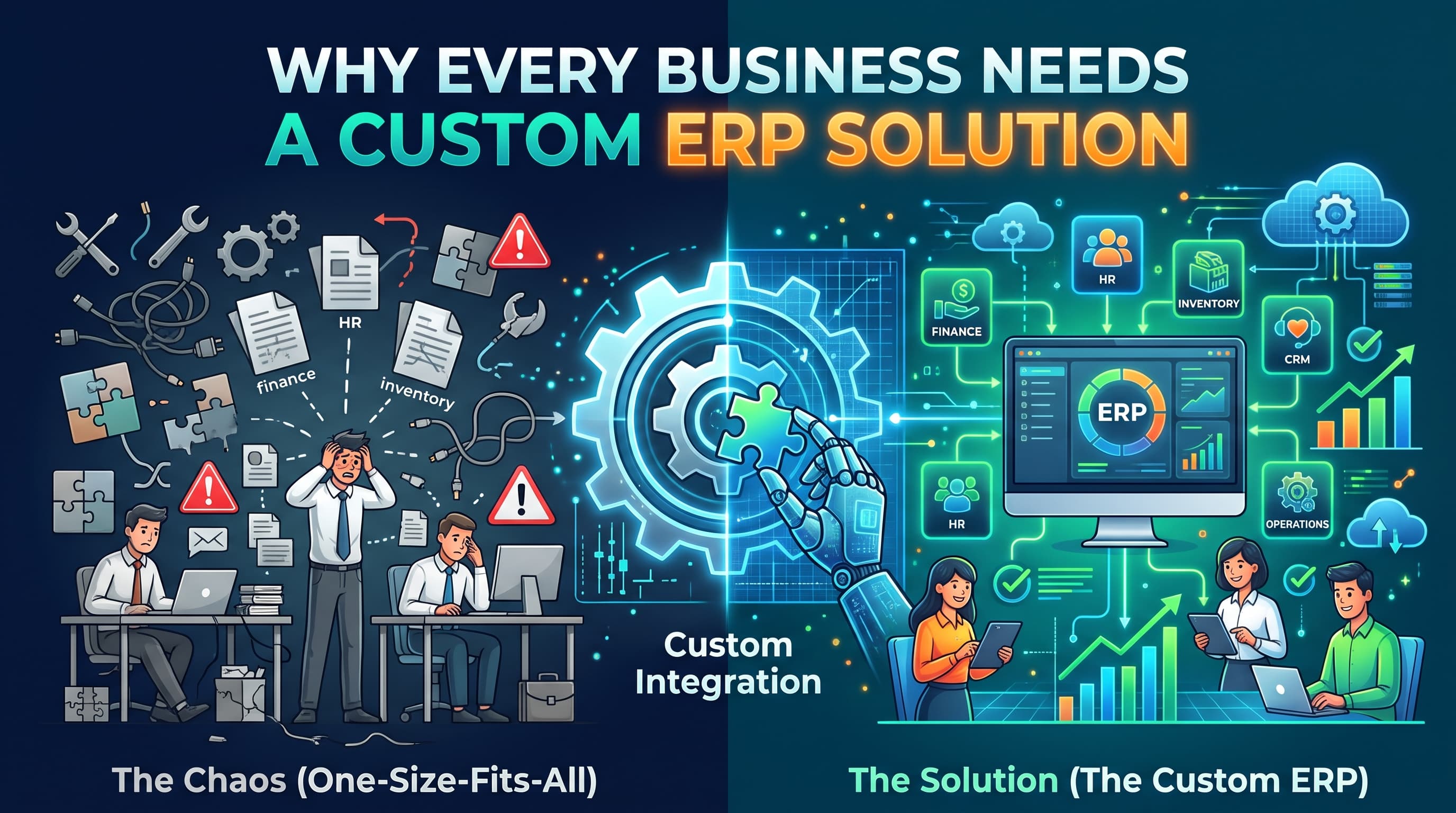
This is where Enterprise Resource Planning (ERP) software comes in. An ERP system brings essential business processes together on a centralized platform, helping organizations manage operations more effectively. However, every business has unique requirements, workflows, and growth objectives. That is why a custom ERP solution can be a powerful investment for businesses looking to improve efficiency, reduce operational challenges, and scale with confidence.
At RainCyber, we help businesses explore modern software solutions designed to simplify operations, improve productivity, and support sustainable digital growth.
What Is a Custom ERP Solution?
Enterprise Resource Planning (ERP) software integrates different business functions into a unified system. Instead of using separate applications for inventory, accounting, sales, purchasing, and employee management, an ERP platform allows teams to access and manage relevant information in one place.
A custom ERP solution is developed or configured around a company's specific operational needs. Unlike a standard, off-the-shelf system that offers predefined features, a custom ERP can be tailored to match existing workflows, industry requirements, reporting needs, and future business goals.
For example, a retail business may require advanced inventory tracking and point-of-sale integration, while a manufacturing company may need production planning, supply chain management, and quality control. A custom ERP solution can accommodate these different requirements within a connected system.
1. Streamline Business Operations
One of the biggest advantages of a custom ERP system is its ability to simplify everyday business activities.
When departments use disconnected tools, employees often spend valuable time transferring data, checking records, and correcting errors. These repetitive tasks can slow down operations and create unnecessary complications.
A custom ERP system connects essential processes, allowing information to move more efficiently between departments. Sales orders can connect with inventory records, purchasing activities can respond to stock requirements, and financial records can reflect relevant transactions.
Key benefits include:
Reduced manual data entry and repetitive tasks.
Improved coordination between departments.
More consistent and accurate business records.
Faster access to operational information.
Better visibility into daily business activities.
By automating routine processes, businesses can spend less time managing paperwork and more time focusing on growth and customer satisfaction.
2. Improve Data Accuracy and Decision-Making
Accurate information is essential for making effective business decisions. However, when information is scattered across multiple platforms, managers may struggle to identify the company's actual performance.
A custom ERP solution centralizes important business data, making it easier to monitor sales, expenses, inventory levels, employee performance, and other key indicators.
With real-time or regularly updated reporting, depending on the system's design, business leaders can identify emerging trends, detect operational problems, and respond to changing conditions more quickly.
For example, an ERP dashboard can help a retail manager identify fast-selling products, monitor low-stock items, and review sales performance across different branches.
Instead of relying on outdated spreadsheets or incomplete reports, businesses can make more informed decisions based on consistent and accessible information.
3. Customize Features to Match Your Business Needs
Every business operates differently. A standard ERP platform may include many useful features, but it might not support every requirement of a particular company.
Custom ERP development allows businesses to prioritize the tools and workflows that matter most to their operations.
Depending on business requirements, a custom ERP solution can include:
Inventory Management: Track stock levels, product movement, and reorder requirements.
Accounting and Finance: Manage invoices, expenses, payments, and financial reporting.
Sales and Customer Management: Monitor orders, customer information, and sales activities.
Human Resource Management: Organize employee records, attendance, leave, and payroll workflows.
Procurement Management: Track suppliers, purchase orders, and purchasing activities.
Reporting and Analytics: Generate reports tailored to business objectives.
Multi-Branch Management: Coordinate operations and monitor performance across multiple locations.
Businesses can implement the modules they need and expand functionality as their requirements evolve. This flexibility helps create a system that supports actual workflows rather than forcing employees to adapt to unnecessary features.
4. Increase Productivity Through Automation
Manual processes can consume significant time and increase the likelihood of human error. Tasks such as generating invoices, updating inventory records, preparing reports, and processing routine approvals can become major productivity challenges as a business grows.
A custom ERP system can automate many of these activities according to predefined rules and workflows.
For instance, when a sales transaction is recorded, the system may automatically update stock levels, generate an invoice, and send relevant information to the accounting module. Similarly, low-stock alerts can notify purchasing teams when inventory reaches a specified threshold.
Automation can help businesses:
Complete routine tasks faster.
Minimize avoidable data-entry errors.
Reduce administrative workloads.
Improve consistency across departments.
Allow employees to focus on higher-value responsibilities.
The result is a more organized working environment where teams can accomplish more without unnecessarily increasing their workload.
5. Strengthen Business Security and Access Control
Business information is one of an organization's most valuable assets. Financial records, customer details, supplier information, and internal documents must be protected from unauthorized access and accidental exposure.
A custom ERP solution can incorporate security controls suited to a company's operational and compliance requirements.
Depending on the implementation, these controls may include role-based access permissions, multi-factor authentication, activity logs, data encryption, secure integrations, and backup procedures.
For example, an employee responsible for inventory may only need access to stock records, while finance staff require access to relevant accounting information. Role-based permissions help limit access to sensitive data according to each employee's responsibilities.
However, implementing an ERP system alone does not guarantee security. Businesses should also maintain regular updates, monitor access, test backups, and establish appropriate security policies.
With a well-planned security strategy, a custom ERP platform can help businesses manage information more responsibly and reduce operational risks.
6. Scale Your Business Without Increasing Complexity
As businesses expand, their operational requirements become more complicated. They may introduce new products, open additional branches, hire more employees, or enter new markets.
A system that works for a small operation may struggle to support these changes.
A custom ERP solution can be designed with scalability in mind. Businesses can add new modules, connect additional services, support more users, and improve reporting capabilities as their needs change.
For example, a company operating from one location may initially need basic sales and inventory management. As it expands to multiple branches, the ERP system can incorporate centralized stock monitoring, branch-level reporting, and consolidated financial information.
Planning for scalability from the beginning can reduce the need for disruptive system replacements later.
7. Integrate Your Existing Business Tools
Many businesses already use software for e-commerce, payment processing, customer relationship management, logistics, or point-of-sale operations.
Replacing every existing tool may be expensive and unnecessary. A custom ERP solution can instead be designed to integrate with compatible applications through APIs and other supported integration methods.
These connections can reduce duplicate data entry and help information move between systems more consistently.
For example, an e-commerce platform may send order details to the ERP system, which then updates inventory and makes relevant sales information available to the finance team.
Before implementation, businesses should evaluate the compatibility, security, maintenance requirements, and costs of each integration. Well-planned integrations can help create a connected technology environment that supports smoother operations.
8. Gain Better Financial and Operational Visibility
Without a unified system, business leaders may find it difficult to understand where resources are being used and which operations are performing well.
A custom ERP platform can bring together relevant financial and operational information to support better monitoring and planning.
Depending on the selected modules, businesses can review:
Revenue and expenses.
Inventory value and stock movement.
Purchasing and supplier costs.
Departmental performance.
Branch-level sales results.
Outstanding invoices and payments.
These insights can help managers identify inefficiencies, control unnecessary spending, and allocate resources more effectively.
Although an ERP system cannot eliminate every business expense, improved visibility can help organizations identify opportunities to improve cost control and operational performance.
9. Reduce Long-Term Operational Costs
A custom ERP solution requires an initial investment in planning, development, implementation, and training. However, the right system may deliver long-term value by reducing inefficiencies and simplifying business management.
When evaluating costs, businesses should consider the complete lifecycle of the system, including development, hosting, licensing where applicable, integrations, maintenance, support, and future enhancements.
Potential savings may come from:
Reducing repetitive administrative work.
Minimizing stock discrepancies and avoidable waste.
Improving purchasing decisions.
Reducing the need for overlapping software tools.
Lowering the time required to prepare reports.
Identifying operational inefficiencies earlier.
The financial benefits depend on the business's current challenges, the quality of implementation, employee adoption, and ongoing system management. A clear cost-benefit analysis can help determine whether a custom ERP project is a worthwhile investment.
10. Gain a Competitive Advantage
Businesses that manage information efficiently can often respond to customers, suppliers, and market changes more effectively.
A custom ERP solution helps create a more organized operational foundation by connecting workflows, improving data visibility, and reducing unnecessary delays.
For example, a distributor with accurate stock information can respond to customer inquiries more confidently. A service company with connected project and financial records can monitor resource utilization more effectively. A growing retailer can use centralized reports to compare branch performance and identify new opportunities.
These improvements can support better customer service, more informed planning, and greater operational flexibility.
In a competitive market, the ability to make timely decisions and adapt to changing demands can become a valuable business advantage.
Custom ERP vs. Off-the-Shelf ERP: Which Is Better?
Both custom and off-the-shelf ERP systems offer advantages. The right choice depends on a business's size, budget, processes, and long-term goals.
Off-the-shelf ERP may be suitable for businesses whose processes closely match the software's existing features. It can offer faster deployment, established functionality, and predictable subscription options.
Custom ERP may be more appropriate for businesses with specialized workflows, industry-specific requirements, complex integrations, or a need for greater control over system functionality.
Before choosing, consider the following factors:
FactorOff-the-Shelf ERPCustom ERPInitial setupOften fasterUsually requires more planning and developmentCustomizationLimited by the platform and available extensionsCan be tailored to defined business requirementsInitial costOften lowerCan be higherSpecialized workflowsMay require process changes or workaroundsCan be designed around specific workflowsMaintenanceOften supported by the vendorDepends on the development and support arrangementScalabilityDepends on the platform and planCan be planned around future requirements
A custom ERP is not automatically the best choice for every organization. Businesses should compare total ownership costs, flexibility, implementation timelines, and expected benefits before making a decision.
How to Implement a Custom ERP Solution Successfully
A successful ERP implementation requires more than developing software. It involves understanding business processes, preparing employees, organizing data, and establishing a long-term improvement plan.
Here are the essential steps.
Step 1: Identify Your Business Challenges
Start by identifying the problems your business needs to solve. These might include inaccurate inventory records, slow reporting, disconnected departments, complicated payroll processes, or limited visibility across branches.
Clear objectives will help define the scope of the project.
Step 2: Define the Required Features
Determine which modules and workflows are essential. Prioritize features based on business impact instead of trying to automate every process immediately.
Step 3: Choose the Right Technology Partner
Work with a software development team that understands your business requirements and can provide guidance on system architecture, security, integration, and future maintenance.
Step 4: Develop and Test the System
The development team should build the agreed functionality and test workflows, integrations, permissions, performance, and data accuracy before the system is deployed.
Step 5: Train Employees
Employees need to understand how the new system works and how it affects their daily responsibilities. Practical training and clear documentation can improve adoption.
Step 6: Deploy and Monitor Performance
Depending on the project's complexity, consider a phased rollout to reduce disruption. Monitor performance against the original objectives and address problems as they arise.
Step 7: Maintain and Improve the System
Business requirements change over time. Regular maintenance, security updates, backup testing, and planned enhancements help keep the ERP system reliable and useful.
Why Choose RainCyber for Your Custom ERP Needs?
At RainCyber, we understand that every business has its own operational challenges, goals, and growth plans. Technology should support those needs rather than add unnecessary complexity.
Our focus is on helping businesses explore practical IT and software solutions that improve efficiency, simplify workflows, and support digital transformation.
Whether your organization needs better inventory management, connected business processes, customized reporting, or software integrations, the first step is understanding how your business operates and identifying where technology can create measurable value.
A well-planned custom ERP solution can help bring essential business functions together, improve access to information, and establish a foundation for future growth.
Ready to streamline your business operations?
Visit RainCyber to learn more about our IT and software solutions. Contact our team to discuss your business requirements and explore an ERP solution aligned with your goals.
Conclusion
A custom ERP solution can be a valuable investment for businesses that need greater operational efficiency, accurate information, flexible workflows, and scalable technology.
By connecting essential departments, automating repetitive tasks, strengthening access controls, and improving reporting, an ERP system can help businesses manage complexity more effectively.
However, success depends on choosing the right features, planning the implementation carefully, training employees, and maintaining the system over time.
If your current software tools are slowing down operations or making it difficult to manage business growth, it may be time to evaluate a more connected approach.
RainCyber is here to help your business explore smarter software solutions and build a stronger digital future.
Visit raincyber.com to get started.